GitHub Profile README Generator
Build the README for your username/username repo — sections, badges and stats-card links — previewed entirely on this device.
Profile
1–39 characters: letters, digits and single hyphens, none at the start or end.
Enter your username to see which repository to create.
Sections
Sections appear in this order. Move them with the ↑ and ↓ buttons.
- emits a third-party image URL
- emits a third-party image URL
- emits a third-party image URL
- emits a third-party image URL
A section with an empty field is left out of the Markdown.
Section text
Emphasis, link, code and heading marks are escaped in the output, so that text stays text.
A paragraph under the About me heading.
One line under the Currently working on heading.
One line under the Currently learning heading.
One line listing the topics you take questions on.
One line under the Support heading — where people can back you.
Social links
A handle only. A profile URL in the platform's own shape is reduced to the handle; a deeper URL is refused rather than guessed at.
Tech stack
0 of 32 selectedStats cards
The theme and layout become query parameters in the card URL.
The rendered preview appears here as you fill the profile in.
This page makes no third-party requests. The preview replaces every image with a text token, and the cards below are boxes drawn on this device — the real cards are rendered by those services when someone views your profile, which also means those services see your visitors.
Images the Markdown points at — shown here as text, never loaded.
No image URLs are in the Markdown yet.
This README points at no third-party host.
Press ? for shortcuts
Do it offline:$
How to use it
- Type your GitHub username. It fixes the repository name printed under the form, and it is also the account the stats cards are addressed to.
- Switch sections on and order them with the move-up and move-down buttons on each row. Picker order is file order, and every move is announced aloud.
- Fill the text fields, add social handles, pick tech badges and choose a card theme. A section left with an empty field drops out instead of emitting a blank heading.
- Read the host list under the output, then copy the Markdown or download it as README.md. The permalink carries the whole form, so a saved link rebuilds it.
A public repository named after you, holding a README.md, becomes the panel at the top of your GitHub profile. Build that file here: switch sections on, order them, type your text, and the Markdown appears beside it. Stats-card and badge links are written into the file as URLs — this page requests none of them, so the preview is boxes and text drawn on your device.
Examples
Profile: octocat — intro, currently working on, ask me about, tech, socials, stats# Hi, I'm Mona Lisa
Building small tools that stay on your device
## Currently working on
a static-site image pipeline
## Ask me about
Rust, build tooling
## Tech stack
 
## Where to find me
[](https://github.com/octocat)
## GitHub stats
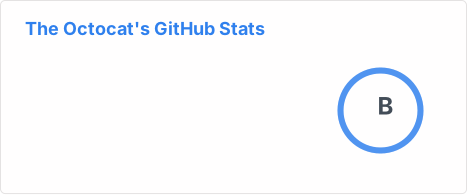
Sections come out in picker order: the tech stack was moved above the social links here. Three hosts appear — github-readme-stats.vercel.app, github.com and img.shields.io — printed as text on this tab and requested by nothing.
Profile: ada-l — a LinkedIn profile URL pasted as a handle, plus two badges## Where to find me
[](https://www.linkedin.com/in/ada-lovelace)
[](https://mastodon.social/@ada_l)
## Tech stack
 
Both handles were reduced, with a count: 2 handles were typed as a URL or with a leading "@" — only the handle was kept. Two escapers then run. Link destinations take URL-component encoding; badge paths take the shields rules, so a hyphen doubles to ada--lovelace, an underscore to ada__l, and C++ arrives as C%2B%2B.
Profile: octocat — GitHub stats and most-used-languages cards, tokyonight theme## GitHub stats

## Most used languages
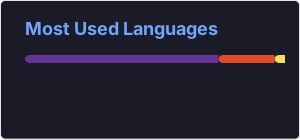
Theme, icons and layout become query parameters on one host, github-readme-stats.vercel.app, printed here as text. Twelve theme names are accepted; anything else is refused, because the value reaches a stranger's server as typed.
Profile: octocat — a tagline full of Markdown punctuation and a script tag# Hi, I'm Mona Lisa
ship \*small\* tools\_fast \[beta\] | \<script>alert(1)\</script>
## About me
Notes on \`pipe|tables\` and 100% \\ backslash.
Asterisk, underscore, square bracket, backtick, backslash and the opening angle bracket each take a preceding backslash, which CommonMark reads as a literal character; the script tag renders as the twenty-five characters you typed. Pipes and parentheses are not escaped, so pipes over a delimiter row still build a table.
Every example on this page is executed against the same engine that powers the tool, on every build.
Gotchas worth knowing
A username is a grammar, not free text
One to thirty-nine characters, letters, digits and single hyphens, none at either end and never two in a row. A refusal names the rule and the position. Capitals survive into the repository line, since GitHub ignores case.
A pasted profile URL is cut back to a handle
Paste an address shaped like that platform's own profile URL and the handle survives, reported; a deeper address is refused rather than guessed at. What is left must be letters, digits, dot, underscore, tilde or hyphen — a slash or a space is refused.
Badge text uses its own escapes
In a shields path a literal hyphen is written twice and a literal underscore is written twice; a space is percent-encoded. That is why a handle looks doubled in the badge URL and normal in the link beside it. The badge tool on this site covers that grammar.
Two trailing spaces would be a line break
Spaces at the end of a line are trimmed and counted: two of them are a hard break in Markdown, and nobody means that in a form. Carriage returns fold to newlines and a byte-order mark is removed, each with its own note.
Common errors
the username contains a space at position 5 — a GitHub username allows letters, digits and single hyphens only- The username becomes a repository name and a query parameter on every card URL, so a value GitHub would reject is refused here rather than shipped. An empty box is not an error — the output is simply blank.
social link 1 (github) contains "/" at position 5 — a handle allows letters, digits and ". _ ~ -" only- The refusal counts links from one and names the platform, so the row to fix is unambiguous. A slash would split the profile path and aim the link somewhere nobody asked for.
the "about" field is 2,001 characters — this tool is limited to 2,000 per field- Every prose field stops at two thousand characters and the refusal prints the measured length beside the ceiling. Nothing is trimmed to fit: a README silently cut in half is worse than one that will not build.
the profile content is 200,008 characters — this tool is limited to 200,000- The whole form is measured before anything is composed, so a pasted document lands as one refusal rather than a stalled tab. The finished file is measured again.
FAQ
What is the username/username repository?
It is the one repository GitHub treats as your profile page. Give it exactly your account name, keep it public, and put a README.md with some content at its root; GitHub then shows that file above your pinned repositories. A project README — install, run, contribute — is a different file, and the README generator on this site writes those.
Do the stats cards work offline?
No. A stats card is an image served by github-readme-stats.vercel.app, a community project under the MIT licence that reads the GitHub API when the image is requested. What you get here is the URL. Everyone who opens your profile afterwards loads it from that host.
Why does the preview show boxes instead of the cards?
Because drawing a real card would mean fetching it, and this page makes no third-party request at all. The preview swaps every image for a text token naming the card and its host, and the strip beneath lists each full URL as readable text.
Keyboard shortcuts
- ⌘/Ctrl + C
- Copy the README Markdown while nothing is selected.
- ⌘/Ctrl + Shift + C
- Copy it even when text is selected somewhere on the page.
- ⌘/Ctrl + S
- Save the output as README.md.
- t
- Flip the page between its light and dark themes.
- ? or ⌘/Ctrl + /
- Show every binding this page answers to.
- Esc
- Close the topmost overlay.